

The monsters escaped!
The SKETCH Monster Maker app has closed, but every monster you made got out safe.
Questions
What happened to the app?
The SKETCH Monster Maker app has closed. You cannot make new monsters in it anymore.
What happened to the monsters I made?
They’re safe. Log in to see and download them. See my monsters
I still have unspent credits.
Contact us and we’ll help. Contact Angel support
How were the monsters made?
AI image and video models turned each drawing into a monster. The prompts the app used are on this page. Make your own monster
How can I make my own now?
Use our prompts with ChatGPT, Gemini or a similar tool. Make your own monster
Can I still watch SKETCH?
From drawing to monster
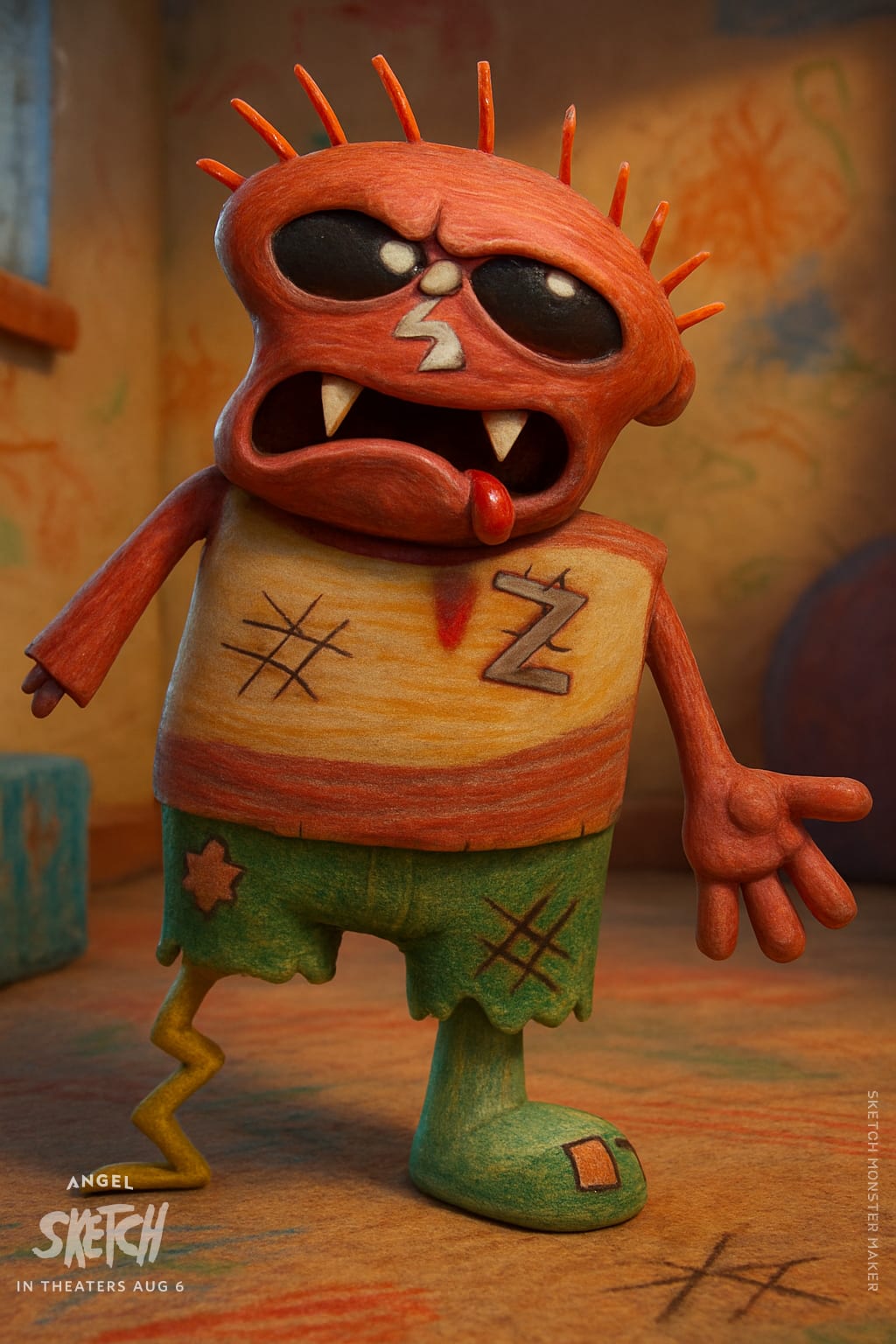
Every monster started as a drawing. Here is what the app made.
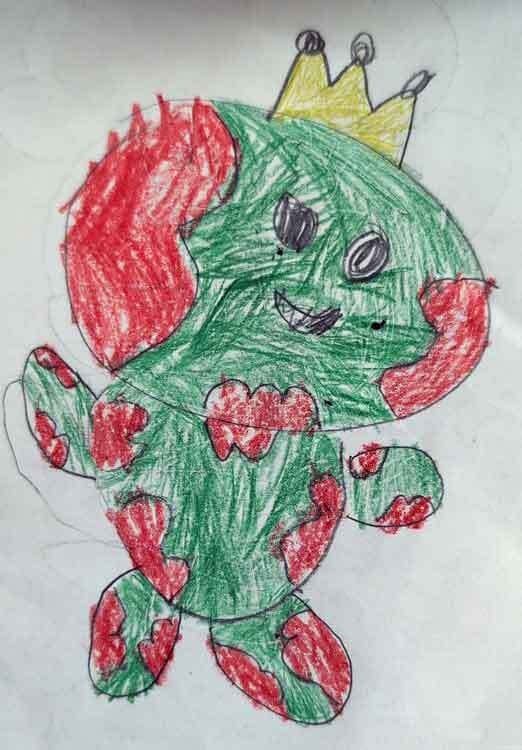 Before
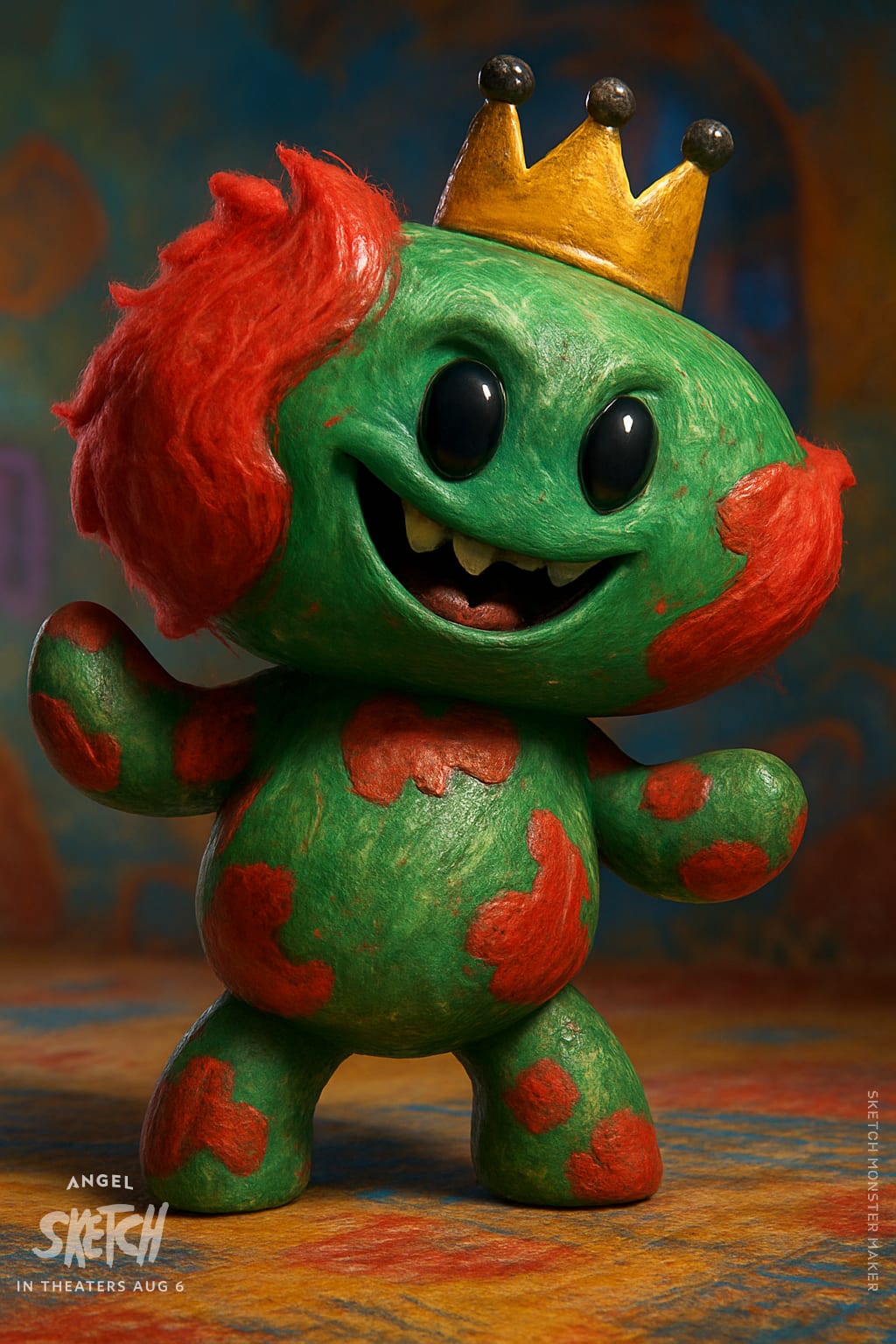 After
King Pompomplush 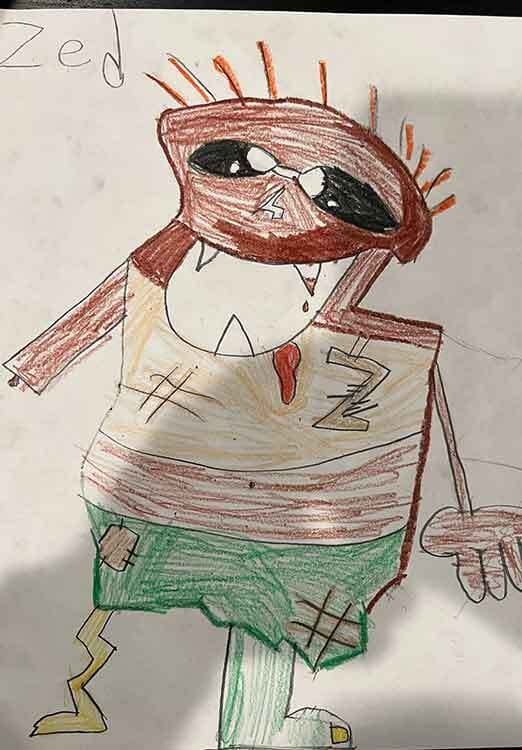 Before
 After
ZiggleZap 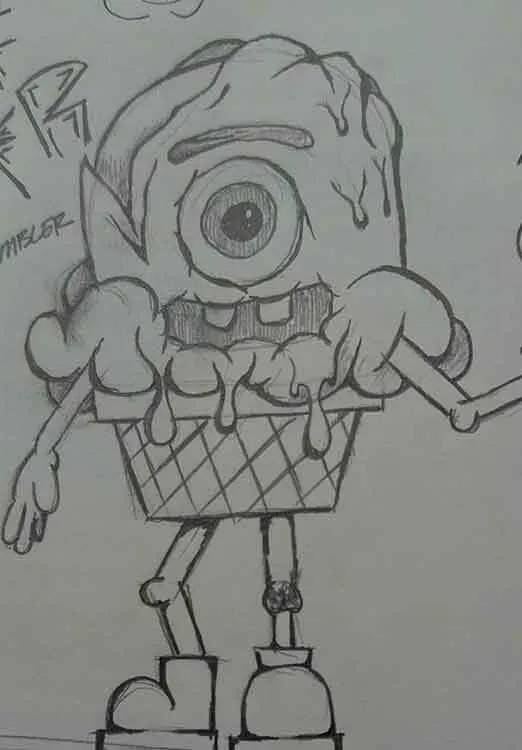 Before
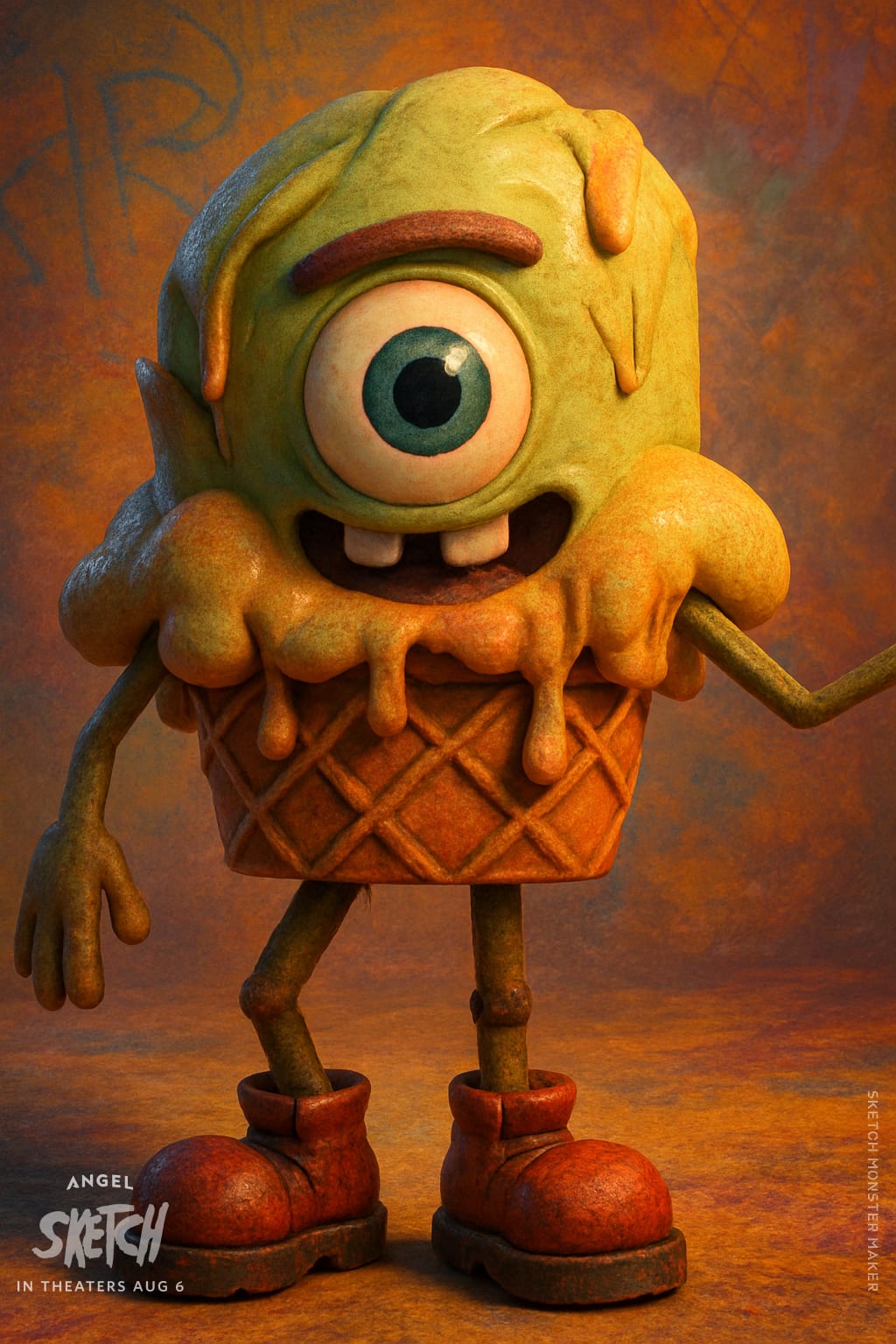 After
Sprinklesnatch
Make your own monster
These are the prompts the app used. They work with ChatGPT, Gemini or a similar AI tool that makes pictures.
- Take a photo of your drawing.
- Open ChatGPT or Gemini and upload the photo.
- Copy a prompt below, paste it in and send it.
Turn a drawing into a monster
Upload a photo of the drawing first.
Transform this image into a 3D, high-octane render of an animated character or scene. Match the drawing exactly — shape, features, and proportions — without altering any elements.
Use detailed 3D game-like textures with a handcrafted, gritty layer underneath — inspired by waxy crayon strokes, smeared marker, and chalky smudges — subtly blended with soft gloss and depth.
Render with clean, cinematic lighting that creates gentle shadows and warm highlights, adding a playful, adventurous mood rather than dark suspense.
The background should complement the tone with whimsical, offbeat environments — imaginative, a little messy, and full of texture, but not frightening.
The overall style should feel cool, bold, weird, heartfelt, and expressively charming — like a 3D Animated Studio-style monster adventure, designed for kids and adults alike.
Output in 9×16. No inappropriate content. No text.
Give it a name
Upload a picture of your monster first.
Name this monster a unique, fun, and playful monster name that matches its personality, appearance, and style. — weird, cool, heartfelt, and full of charm. Keep it clean, family-friendly, and imaginative. Just return the name, no other text.
Tell its story
Upload a picture of your monster first.
Look at this image of a monster and imagine it's the hero of a kids' animated movie. Based only on the visual details, describe the monster in a fun, playful, and imaginative way. Write a short summary in 1–2 sentences that includes what the monster might be made of, its personality, powers, and any interesting accessories or traits. Use kid-friendly language and a storytelling tone. This should sound like a cool back-of-the-box description for a toy or a movie character. Be creative, weird, and heartfelt.
Make a coloring page
Upload a picture of your monster first.
Analyze the uploaded image. Capture the character’s shape, outfit, and expression so they stay instantly recognizable. Redraw them in a classic superhero comic-book style coloring page: Use bold, dynamic outlines for dramatic effect. Keep inner details clean and minimal — no dense shading or cross-hatching. No grayscale, no tones, no color — only crisp black line art for coloring. Create a comic-book scene that feels cinematic and action-packed: Use dynamic poses, expressive angles, and strong silhouettes. Add comic-book energy lines, speech bubbles, or sound effects like “POW!” “ZAP!” or “BOOM!” if fitting. Backgrounds should be bold but clean — city skylines, cosmic backdrops, crumbling walls, or action streaks. Keep plenty of open spaces for coloring while still feeling richly detailed. Optional: Arrange the page into multiple panels (like a real comic page), showing different moments of the character — close-up, action shot, and a dramatic finale.

OUTPUT REQUIREMENTS (non-negotiable):
1. The image must be exported as pure black line art on a fully white background; no colors, no grays.
2. Do not use halftones, dithering, cross-hatching, or grayscale.
3. Ensure lines are clean and printable at high resolution.
4. Maintain strong, cinematic composition with open areas suitable for coloring.
Make a game sprite
Upload a picture of your monster first.
Put the monster in this image in the seat.
Create a modern pixel art image of a small go-kart-style spaceship in strict profile view, designed for a 2D side-scrolling video game.
Style: Modern high fidelity pixel art with clean, crisp edges and a limited but vibrant color palette. 48×48 pixel sprite resolution when scaled down, but designed at a higher resolution for clarity. Smooth shading with minimal dithering, 3–5 colors per surface. Clear, readable silhouette for easy recognition in motion.

Vehicle Design: Compact rounded body with metallic panel details. Small rocket thrusters or hover pods instead of wheels. Futuristic control panel inside the cockpit. Customizable decals or stripes to match the pilot’s personality.

Character Placement: One seat in the center sized to fit any humanoid, animal, or stylized character. Character should be gripping a small steering wheel or joystick. Character pose and facial expression should show excitement or determination.

Composition: Strict side profile view. Maintain consistent proportions, lighting, and style across frames if animated. Character always faces right (east).

OUTPUT REQUIREMENTS (non-negotiable):
1. The image must be exported as a PNG with alpha transparency.
2. The background layer must be 100% transparent (no white, black, or colored fill).
3. Character must always face right (east).
4. Ensure both transparency and facing direction are satisfied.
Add some action
Paste one of these after the monster prompt, or send it on its own to change a monster you already made.
Actions
- Fire
Cinematic character unleashing a stream of blazing fire from its mouth, glowing embers in the air, dramatic lighting.
- Cookies
Playful character devouring a giant cookie, crumbs flying, mischievous grin, warm cozy background.
- Dance
Expressive character mid-dance, exaggerated motion blur, colorful lights and energetic pose.
- Fight
Dynamic character practicing fighting moves, strong stance, punching and kicking the air, dust and sparks around.
- Magic
Mystical character casting glowing magic, swirling runes and light particles radiating from its hands.
- Run
Energetic character sprinting forward at full speed, wind rushing past, motion lines and dramatic perspective.
Camera moves, for video tools
- Zoom in
Camera zooms in toward the character, tightening focus for dramatic emphasis.
- Zoom out
Camera zooms out from the character, revealing the full scene and environment.
- Pan
Camera pans smoothly across the scene, following the character's motion.
- Orbit
Camera orbits around the character in a full circle, dynamic rotating perspective.
- Crane up
Camera cranes upward from low angle to high, expanding the view of the character and background.
- Bullet time
Camera freezes the character mid-action as the shot sweeps around in slow-motion bullet time.